
Why pay for software that almost fits how you work?
What happens when your colleagues start asking for features?
What if your finance team always knew when a project is finished and ready to invoice?
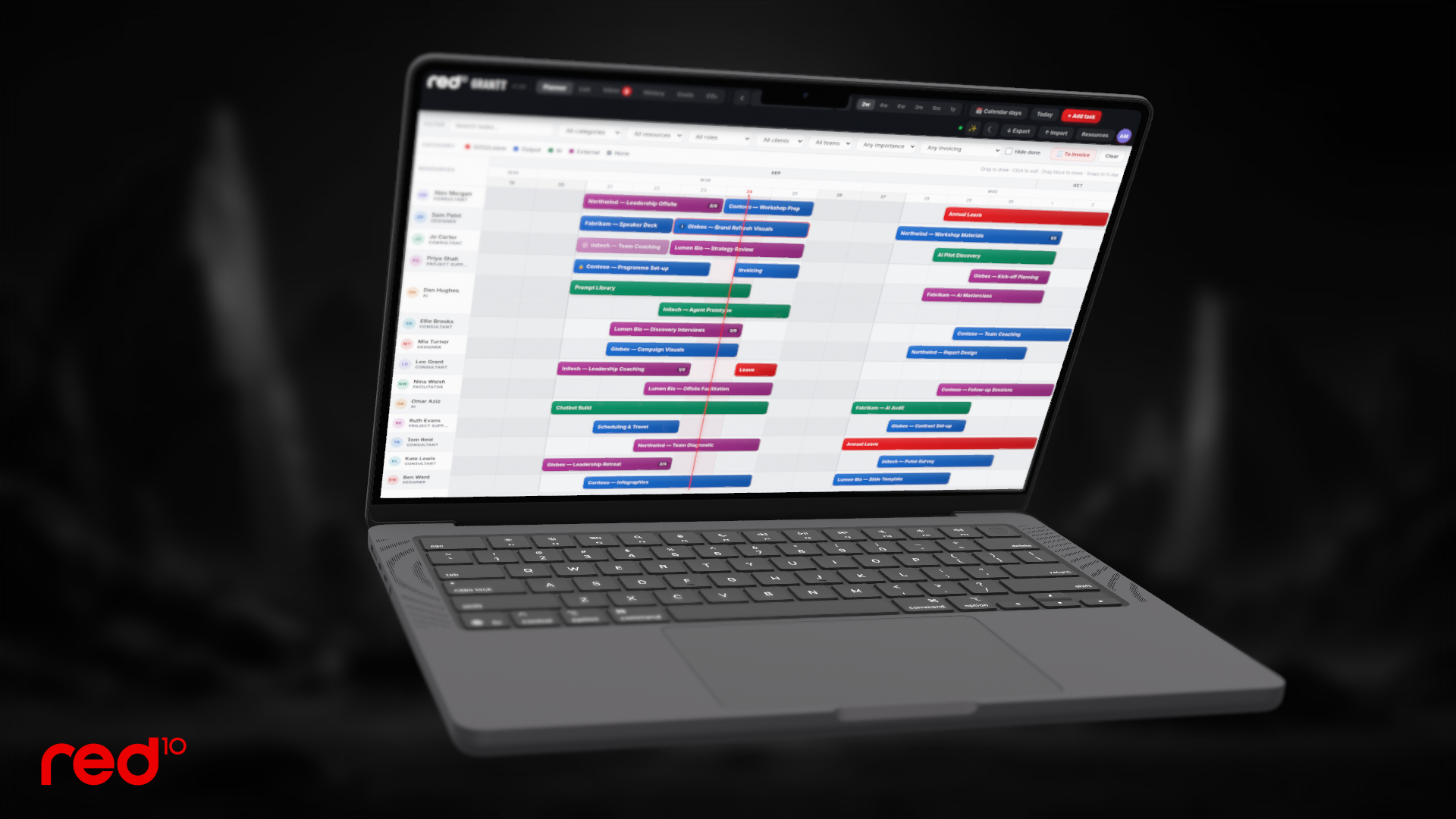
Here, red10 ‘s Robin Edwards shares the lessons from vibe-coding GRANTT — a resource planner built around the way red10 actually works — and how it grew from a single web page to thirty versions and counting.
Why pay for a tool that almost fits?
Paid resource-planning tools are good, but they’re built for everyone. So in effect, they’re built for no one in particular.
Most tools carry a per person, per month cost and none of them spoke our language: half-day sessions, client teams, job numbers, and associates who flex in and out.
So the brief was simple:
Build our own SaaS tool, with the polish of the paid alternatives, but shaped entirely around red10 ‘s processes and needs.
Could one web page become a real product?
GRANTT started life as a single web page I built with Claude:
It is a colour-coded view of everyone’s week, with tasks you could drag around. It worked — but only on my laptop.
Claude then turned it into a proper app: a shared database, individual logins, and changes appearing live on everyone’s screen.
What happens when people actually use it?
The moment colleagues logged in, the requests started. Each one shipped as a new version, with a short “what’s new” pop-up so nobody had to guess what had changed. GRANTT now has:
- An Inbox for ideas that aren’t scheduled yet
- Private tasks, roles, custom categories and filters for every client and team
- An import from Microsoft Planner, so nothing had to be re-typed
- Costs and hours by client, with totals that follow whatever you filt
Two useful learnings:
- Real users find the bugs you never will — including buttons that were there all along, just white text on a white background.
- The request you’re given is rarely the problem you’re solving.
What if the request isn’t really the request?
A colleague asked whether GRANTT could import their Outlook calendar. It turned out they didn’t want a calendar at all: they wanted to measure the carbon from business travel.
So GRANTT gained a CO₂ tab.
It reads a weekly calendar export, picks out the flights, applies the UK Government’s official conversion factors for business-class travel, and plots the total against an annual target. Trips already imported or deliberately deleted don’t come back the following week.
Curious how the carbon is worked out?
GRANTT shows its workings — the factor table, formula and a worked example — one click from the CO₂ tab.
Could it close the loop on invoicing?
Our office team needed to know what was ready to bill. Now anyone can tick “Ready to invoice”, then press one button to send the office a single email listing every job — client, job number, hours and cost, with a total at the bottom.
When I asked whether the office could reply to confirm, I wondered if I was getting too clever. Claude suggested something simpler: a “Mark invoiced” button in the email itself. One click, and GRANTT updates on its own.
Is building better than buying?
Not always. But when a tool sits at the heart of how your team works, building your own means it fits exactly — and it keeps improving, because the people using it every day are the ones suggesting what comes next. There’s no per-person licence to renew, either.
It’s also a strong case for spreading vibe-coding beyond a skilled few: the people closest to a process spot the improvements worth making — and can now make them.
Let’s democratise vibe-coding!
It’s why we’re now providing a 3-hour, up to 10-person practical Vibe-Coding Skills Masterclass built in the same interactive, inclusive style you’re used to from red10 .
Which paid tool is your team working around, rather than with?
More vibe-coding articles

AI vibe coding – use cases
• Have you heard of AI vibe-coding? • What [...]
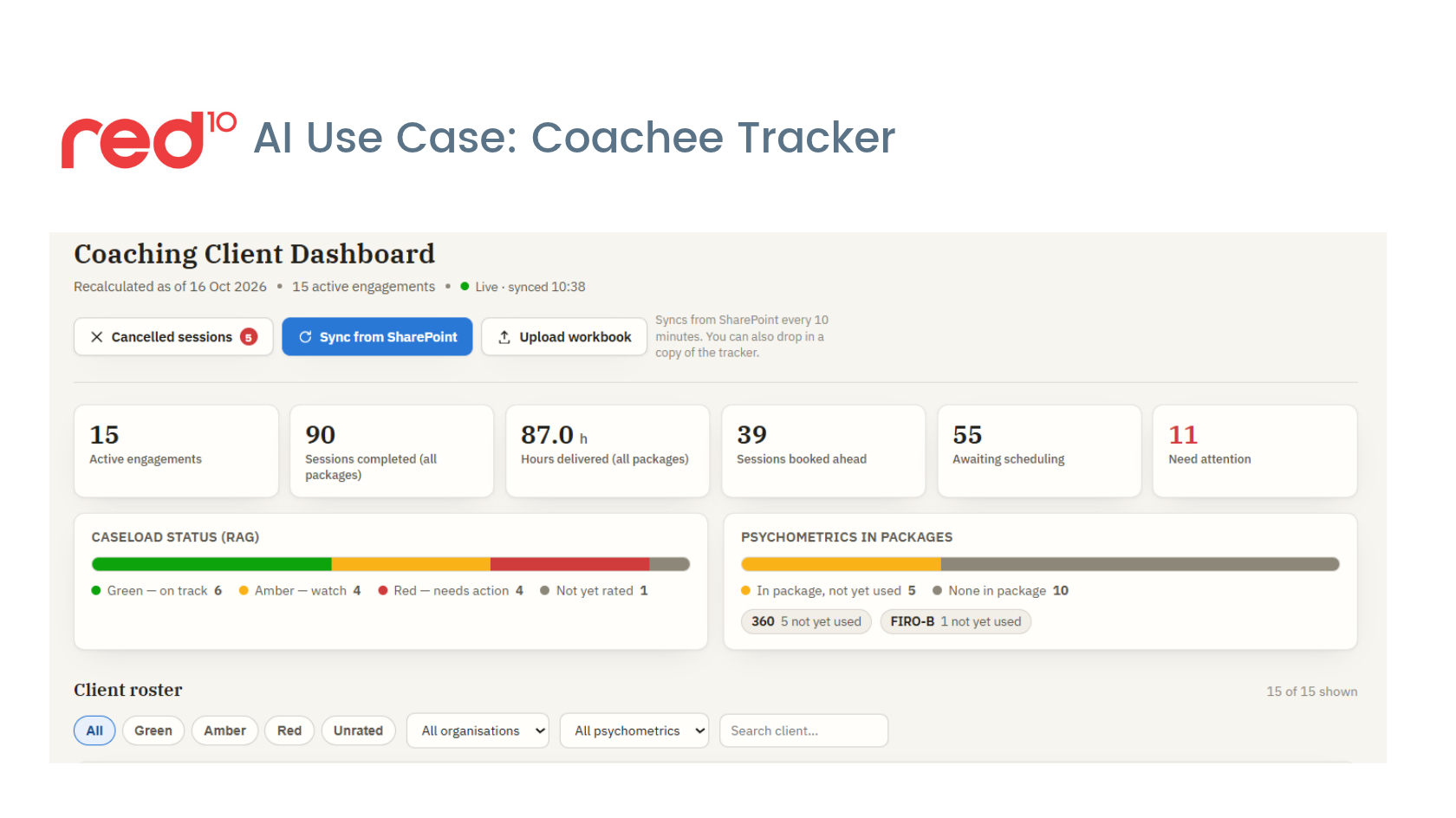
AI Learning: Coachee tracker
Who needs attention right now? What's slipping through the [...]

AI Learning: From app to skill – building Decky
What if the flipcharts typed themselves up? Why does [...]

AI Learning: 1st Vibe-Coded Phone App
Would Apple really block an AI-built app? What do [...]
Vibe-Coding our own planning tool
Why pay for software that almost fits how you [...]
Vibe coding masterclass
Heard of vibe-coding but don’t know where to start? [...]